Knowledge Base
 All
Content
All
Content
How to change audience from Only Me to Public when streaming to Facebook Live
Article ID: 0008020016
Director Mini, Director One


Director newly supports selecting Audience for streaming to Facebook Live, to show your content to public, friends or only yourself.
For users who can only stream to Only Me, you can follow the below steps to change the audience.
- Upgrade your firmware to a newer version (V3.2.1273 and above).
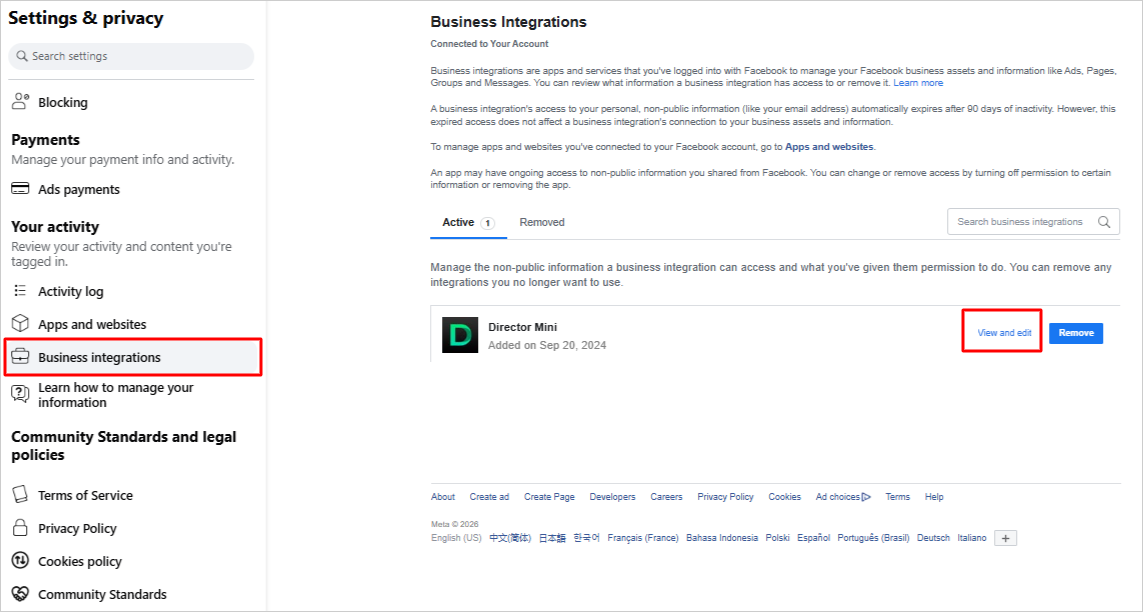
- Go to Facebook > Settings & privacy > Business integrations, click View and edit on the right of Director device.
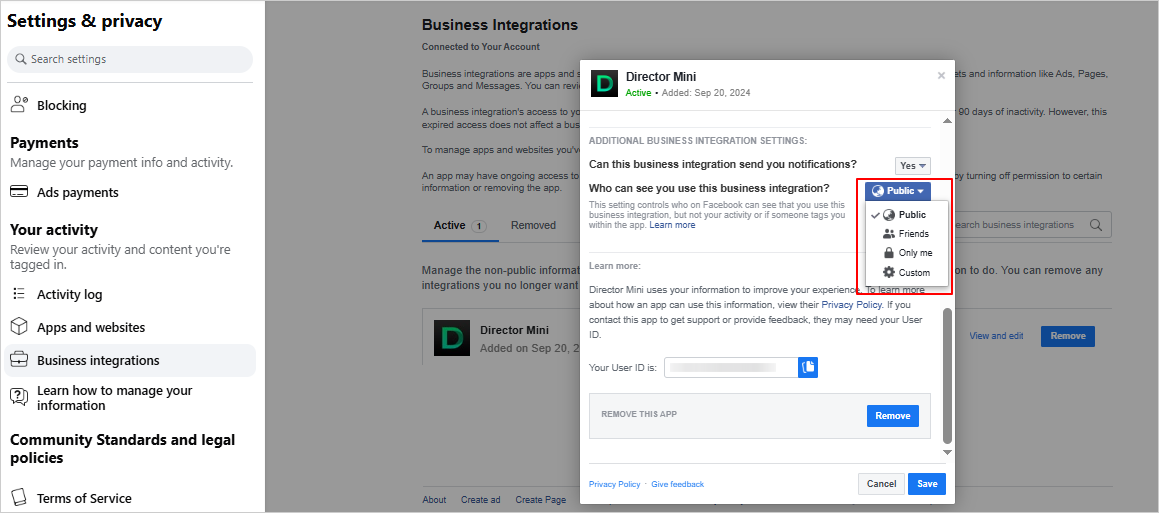
- On the popup window, scroll down and find "Who can see you use this business integration?", click the drop-down box, and select Public. Save your settings.
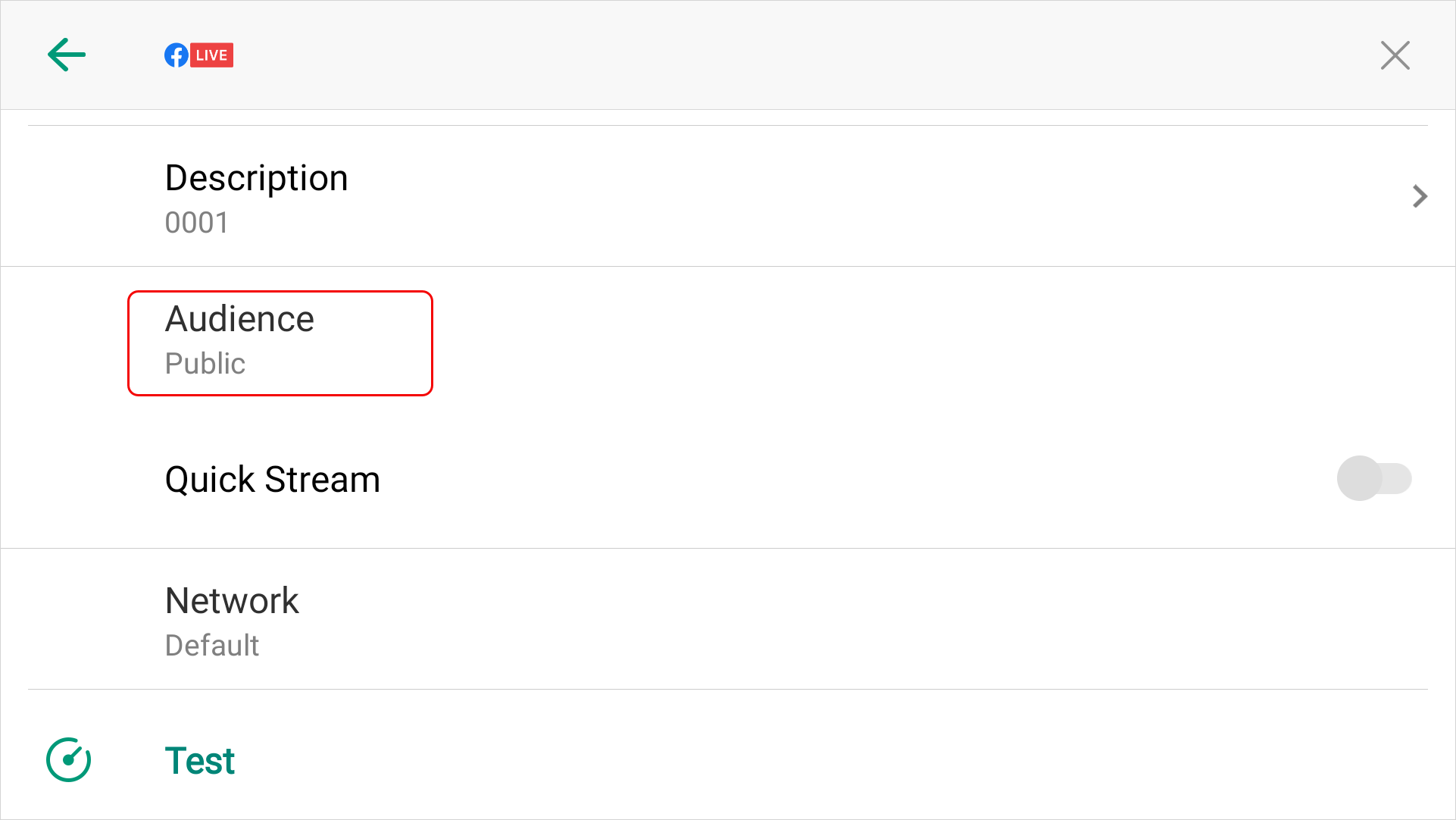
- On the Director device, go to the settings page of Facebook live, scroll down and select Audience.
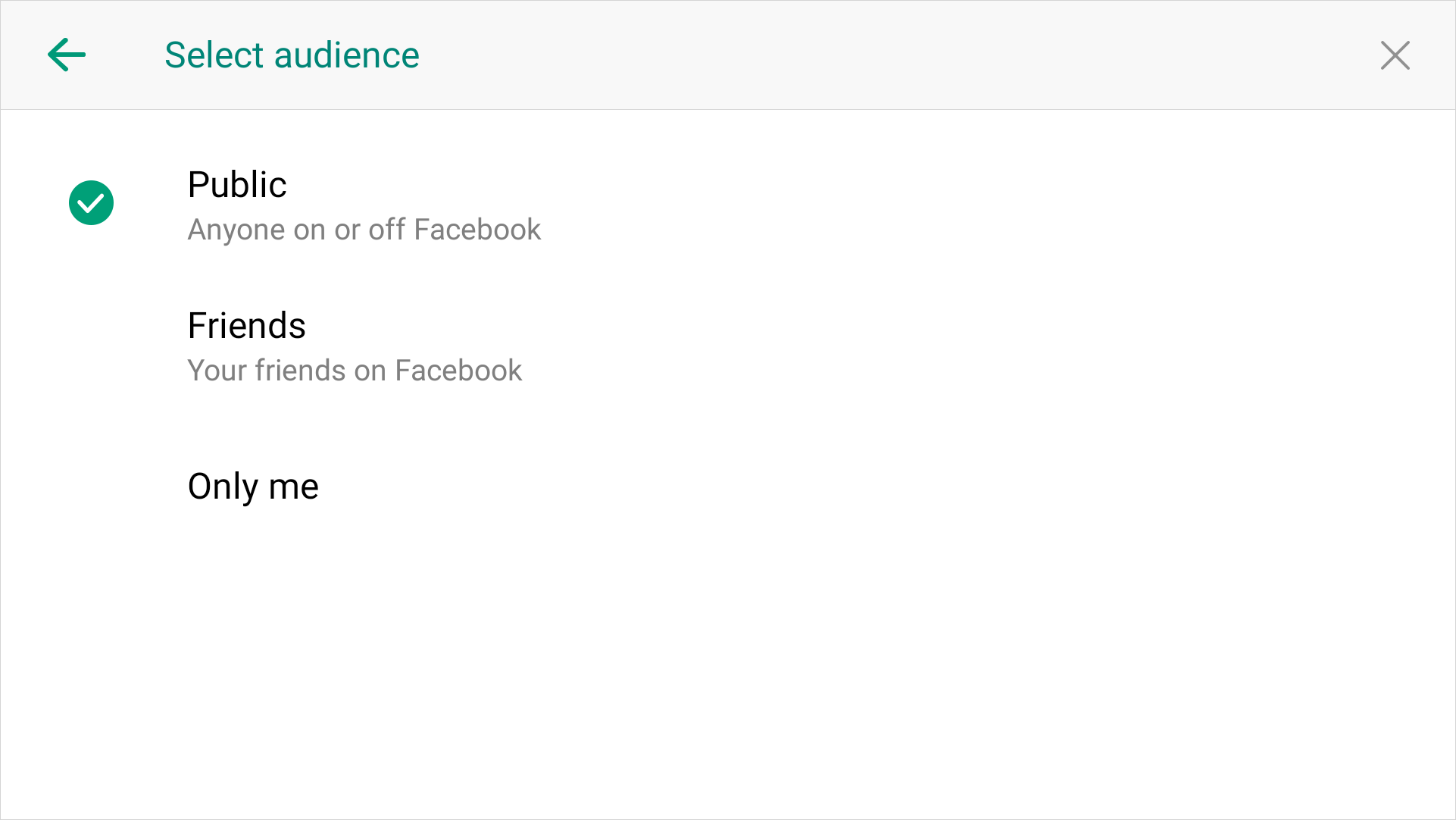
- Select an option to determine what audience your content will be shown to. You may choose Public to show to everyone.
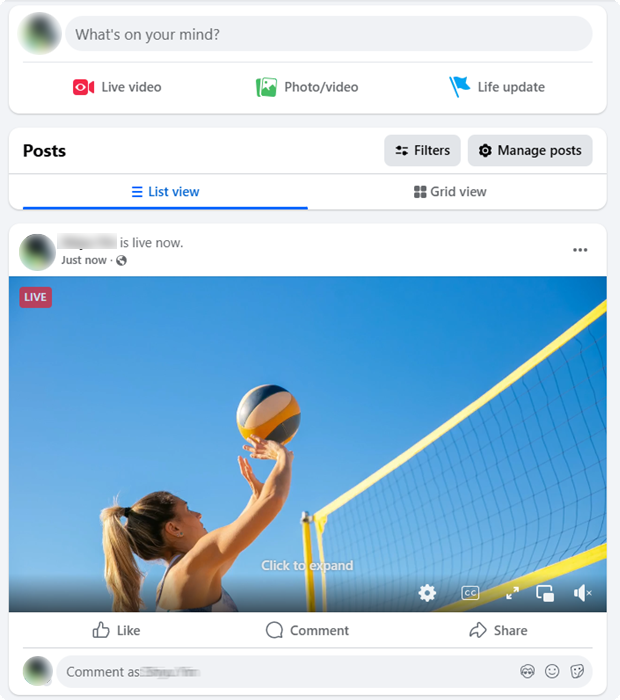
- Now, go back to the main screen and start to streaming to Facebook Live. You can see the public icon on your facebook live page.
Has your problem been solved?