-
From the navigation bar, click the Sources tab.
![]()
-
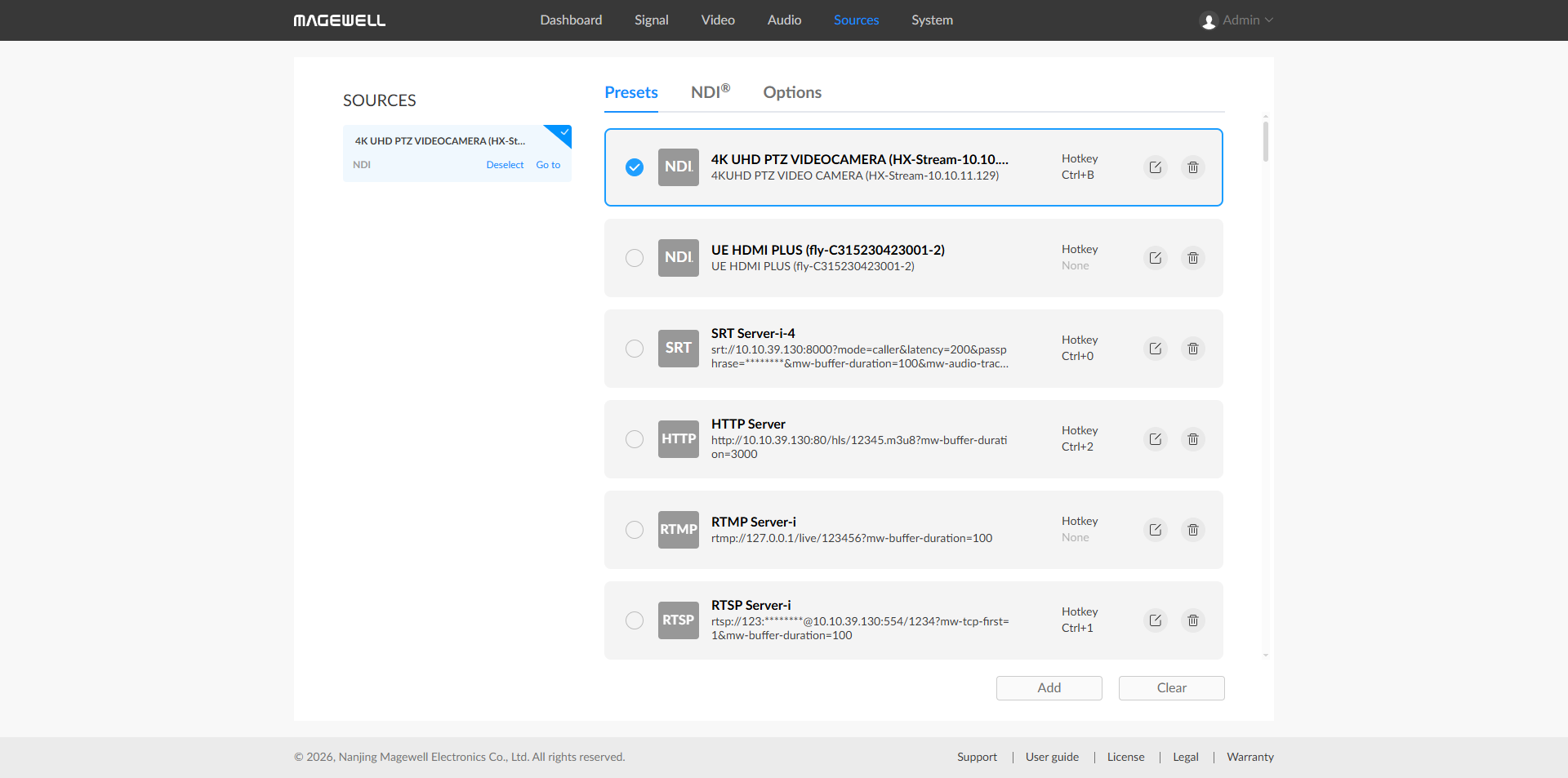
Presets tab displays added sources to be decoded. Sources can be added manually.
Click
 to modify the current source parameters.
Click
 to remove the current source from the preset list.
Check the icon before a specific source
 to start decoding the current source and it supports manual reconnection by clicking on the icon
  when disconnected.
Click Add to select more source types. You can paste a complete source URL in the popup window, and the device will automatically recognize and add the source.
Click Clear to delete all saved presets. Please use this with caution.
Source names in presets must be unique.
The source and decoder must be able to ping each other for successful decoding.
When adding an NDI® source, you only need to specify either "NDI Stream" or "NDI Address".
NDI® sources that the decoder cannot automatically discover but can ping can be manually added as decoding targets.
When adding RTMP push stream, the key configured on the decoder side must match the key on the streaming side, and the streaming port number must be specified as 1935 or omitted to use the default value.
If the decoded MPEG-TS over SRT stream is encrypted, the decoder also needs to enable the encryption switch and enter the correct password, otherwise decoding will fail.
Supported source types include:
Sources
Click to enter the Sources tab to configure settings.