How to Export/Import Pro Convert Device Configuration
- Open the Web UI and log in with an administrator account. Once logged in, you can modify passwords for all users.
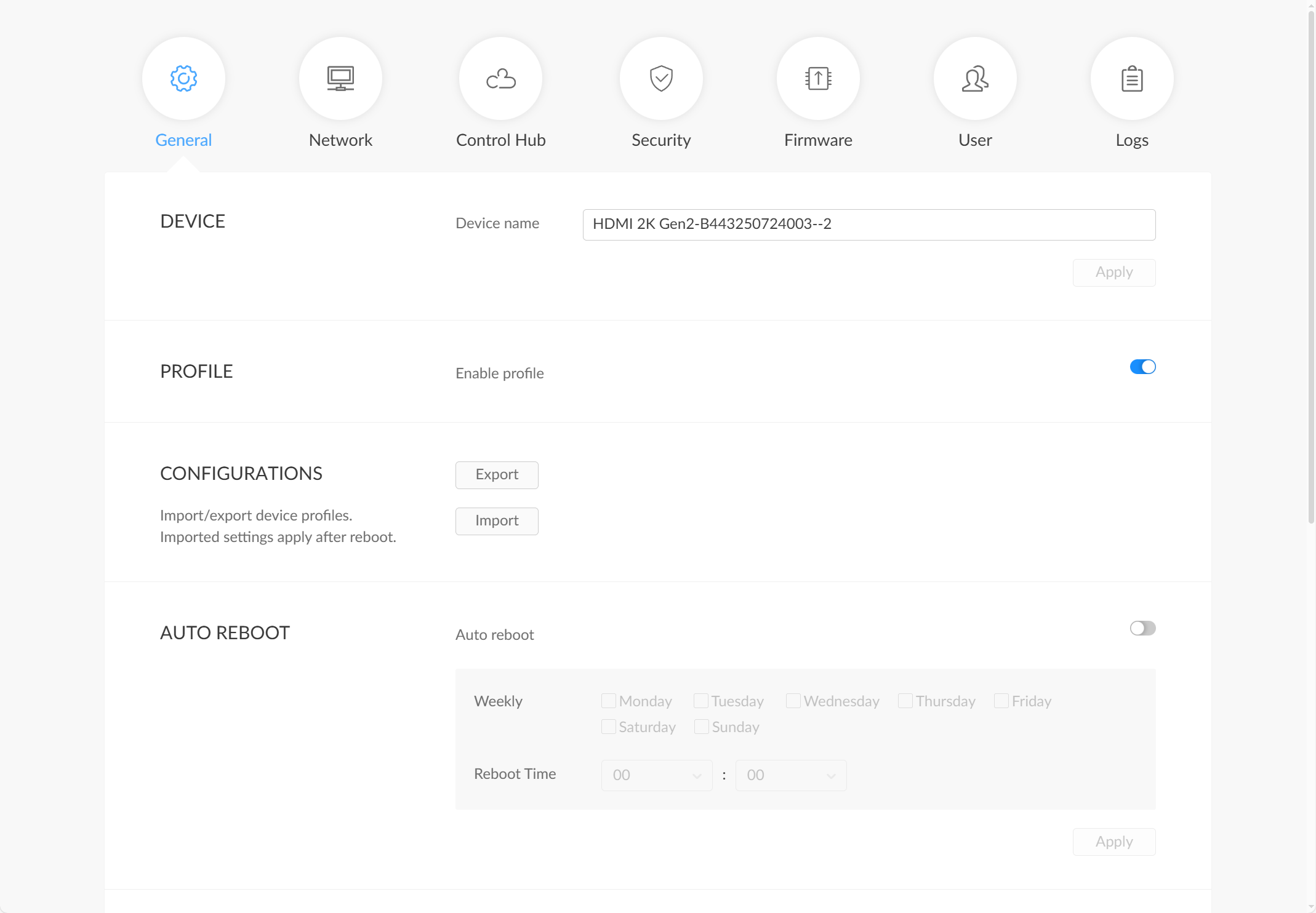
- Navigate to the System > General tab.
- To export the configuration file: In the Configurations section, click the Export button to export the current device configuration file.
- To import a configuration file: In the Configurations section, click the Import button, and select a bin-format configuration file to import into the device. After a successful import, restart the device to apply the new configuration.