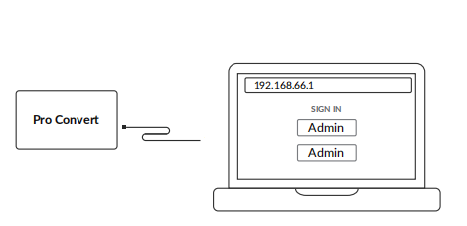
- Connect the device to the computer.
- Select the corresponding steps based on your operating system:
For Windows users:
- Search for cmd and open the Command Prompt.
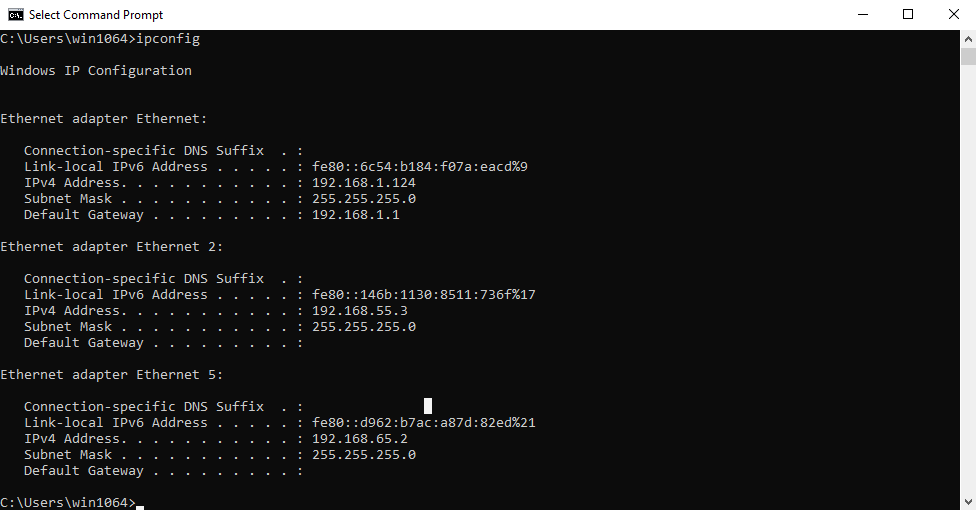
- Enter ipconfig to find the IPv4 address in the format of 192.168.xxx.2, as shown in Figure 2. Windows Command Line.
For Linux users:
- Open the Terminal.
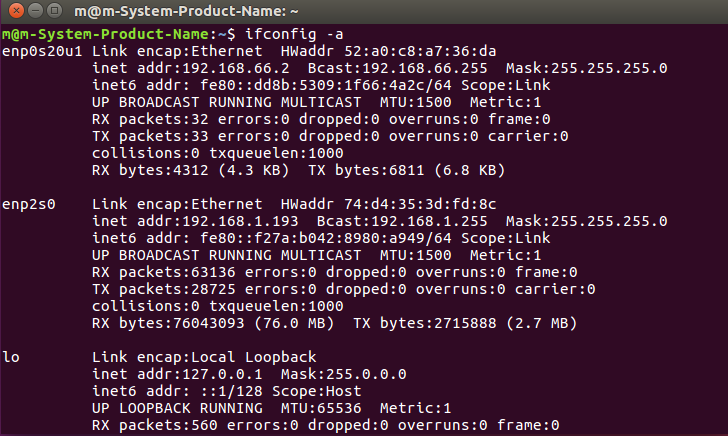
- Enter ifconfig -a to find the IPv4 address in the format of 192.168.xxx.2, as shown in Figure 3. Linux Terminal.
For Mac users:
- Click the System Preferences icon in the Dock or Apple menu.
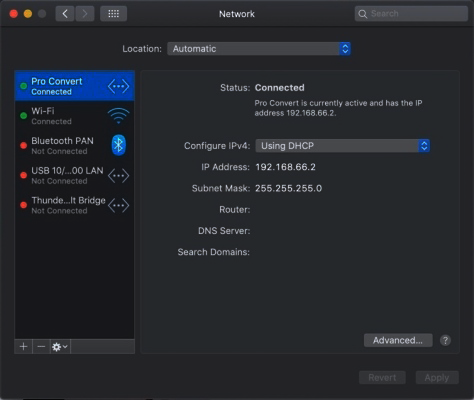
- Select Network, click Pro Convert, and view the IP Address, as shown in Figure 4. Mac Network.
If the 192.168.xxx.2 address is already in use on the LAN, the last part of the IP address will automatically change. The address range is 192.168.xxx.2 to 192.168.xxx.254.
- In a web browser, enter http://192.168.xxx.1 to open the Web UI login page.